Neighborhood Reports —
See It Before You Get There
Trees down, power outages, flooded roads, icy patches — reported in real time by StormCast users near you. Drop a pin in seconds, confirm what's still accurate, and get notified the moment a severe report pops up close to home.

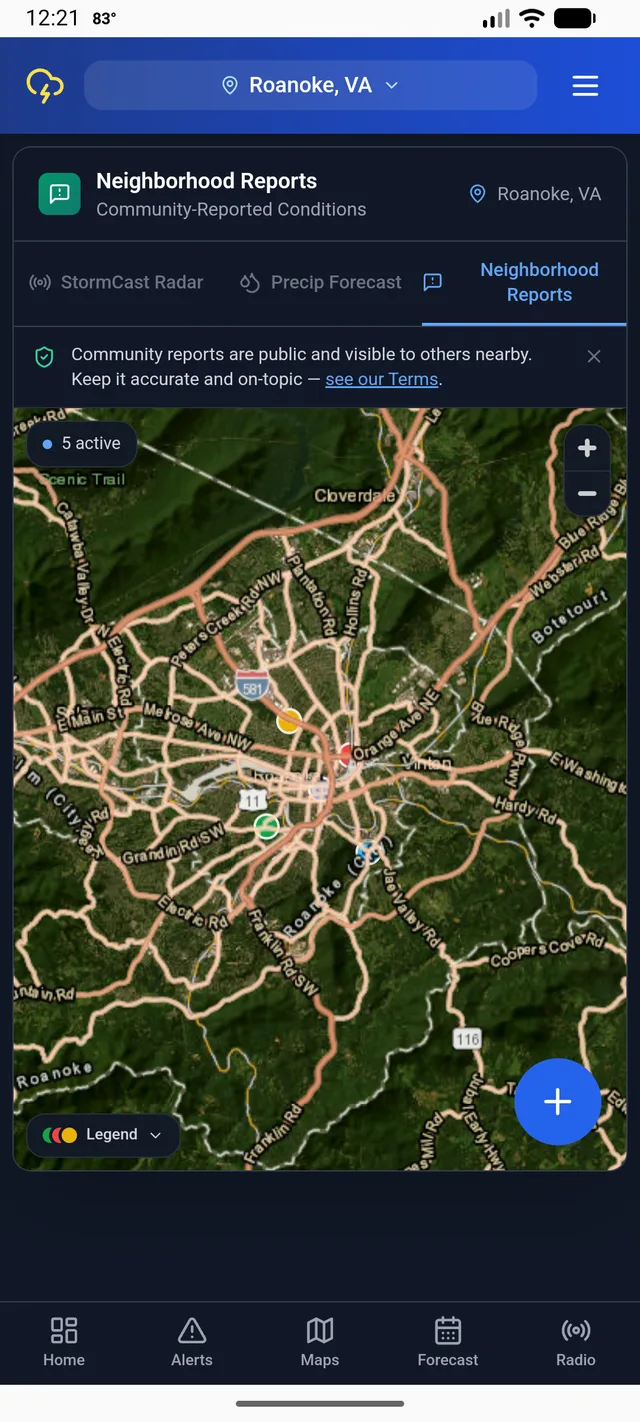
Live map — every active report near you
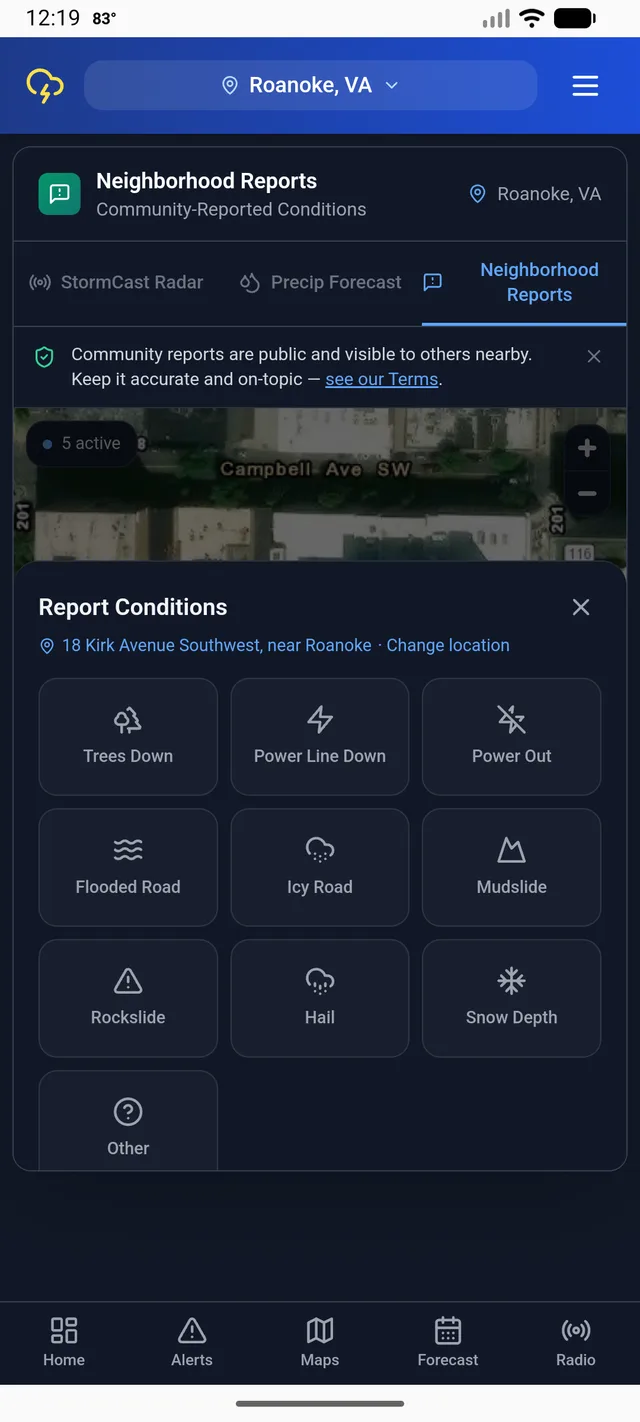
Tap the map, pick a category, submit
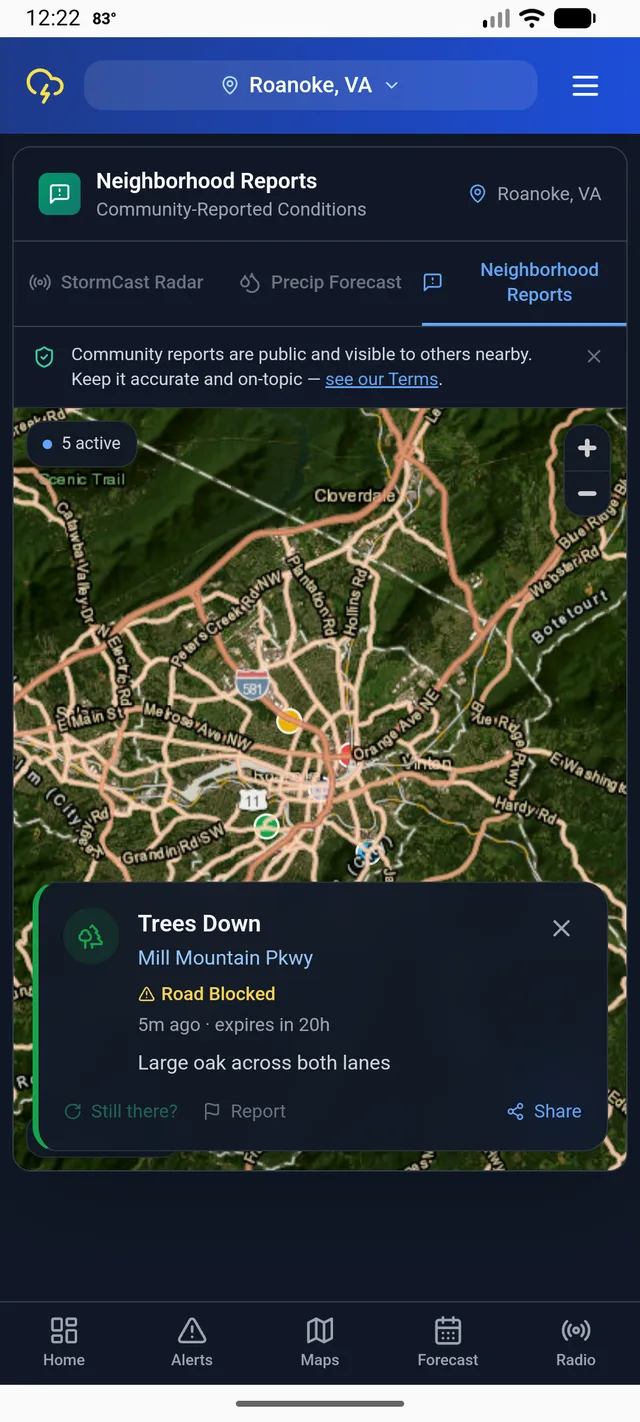
Confirm, flag, or share any report
What You'll Receive
Real Reports From Real Neighbors
Trees down, downed power lines, outages, flooded or icy roads, mudslides, rockslides, hail, and snow depth — all on one live map layer, dropped by people nearby, not a satellite estimate.
Push Alerts for Severe Reports Nearby
Opt in and get notified the moment a trees-down, power-line, or flooding report lands close to you — without keeping the app open and watching the map yourself.
Alert Radius, Your Choice
Matched to your whole county or city by default. Want it tighter? Narrow it to a 5, 15, or 25 mile radius right under the toggle in Settings.
Community-Verified, Self-Cleaning
Tap a pin to confirm it's still there or flag it if it's wrong. Every report auto-expires on its own — from 3 hours for hail up to 24 hours for downed trees and power lines — so the map never fills up with stale pins.
Report Categories
Each category has its own icon, color, and expiration window on the map.
Trees Down
Power Line Down
Power Out
Flooded Road
Icy Road
Mudslide
Rockslide
Hail
Snow Depth
How Neighborhood Reports Works
Open Maps → Reports
The Reports tab shows every active report near you, color-coded by category, right on the map.
Tap the Map to Report
Drop a pin, pick a category, add an optional note, and submit. It's visible to other nearby StormCast users within seconds.
Confirm, Flag, or Get Notified
Tap an existing pin to confirm it's still accurate — which extends how long it stays up — or flag it if it's wrong. Turn on Neighborhood Reports alerts in Settings to get pushed when new severe reports appear near you.
This Only Works With Neighbors
Crowd-sourced means it needs a crowd. StormCast's own weather alerts, radar, and river gauges work the moment you install it — but Neighborhood Reports only gets useful once a few people on your street or in your town are using it too. If a downed tree or a flooded road near you shows up on the map, it's because a real neighbor took five seconds to drop a pin. The fastest way to make that happen where you live is to tell a few people about it.
Frequently Asked Questions
What can I report on StormCast's Neighborhood Reports map?
Trees down, power lines down, power outages, flooded roads, icy roads, mudslides, rockslides, hail, and snow depth. Each category gets its own icon and color on the map.
How do I submit a report?
Open Maps → Reports in the StormCast app and tap anywhere on the map. Pick a category, add an optional note, and submit — it's visible to other nearby StormCast users within seconds.
Do reports expire?
Yes. Reports auto-expire based on category — 3 hours for hail up to 24 hours for downed trees, downed power lines, mudslides, rockslides, and snow depth. Confirming a report extends how long it stays visible.
Can I get notified about reports near me?
Yes. Turn on Neighborhood Reports under Settings → Notification Types to get pushed when a severe report — trees down, power lines, flooding — appears nearby. By default you're matched to your whole county or city, or you can narrow it to a 5, 15, or 25 mile radius.
Is this the same as official NWS weather alerts?
No. Neighborhood Reports are submitted by other StormCast users nearby, not an official government source. They're a helpful crowd-sourced supplement to NWS alerts — not a replacement for them.